(Customer can use a TV or monitor with a mouse and keyboard in the meantime to control dartboard so they can still play until they get it connected).
(Also make sure their app is up to date.)
Thank you for reaching out. I am sorry to hear you have some trouble connecting your dartboard.
We are happy to help you get it connected. You have to connect the app to the dartboard and both the dartboard and device the app is on to the same wifi, so it is a multi-step process.
Please work through these steps to help your board find the wifi.
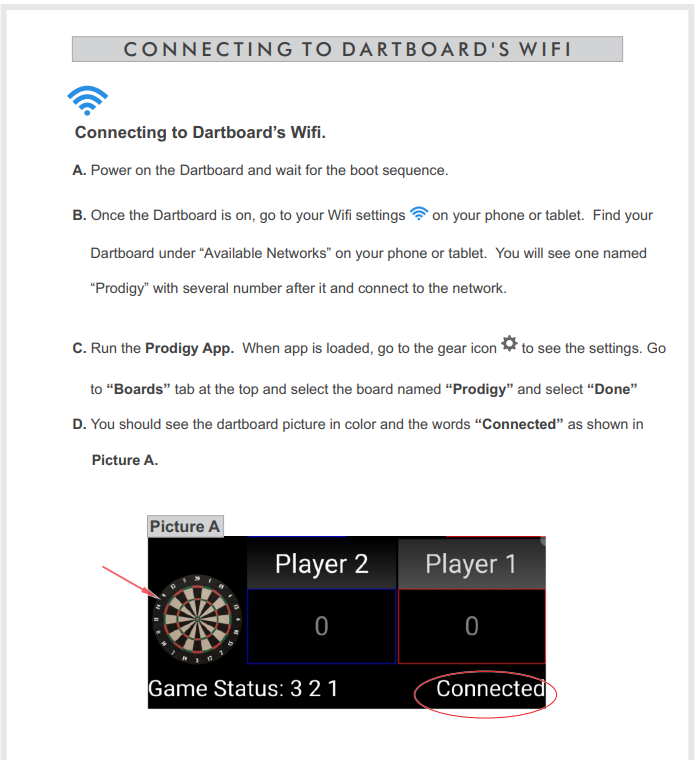
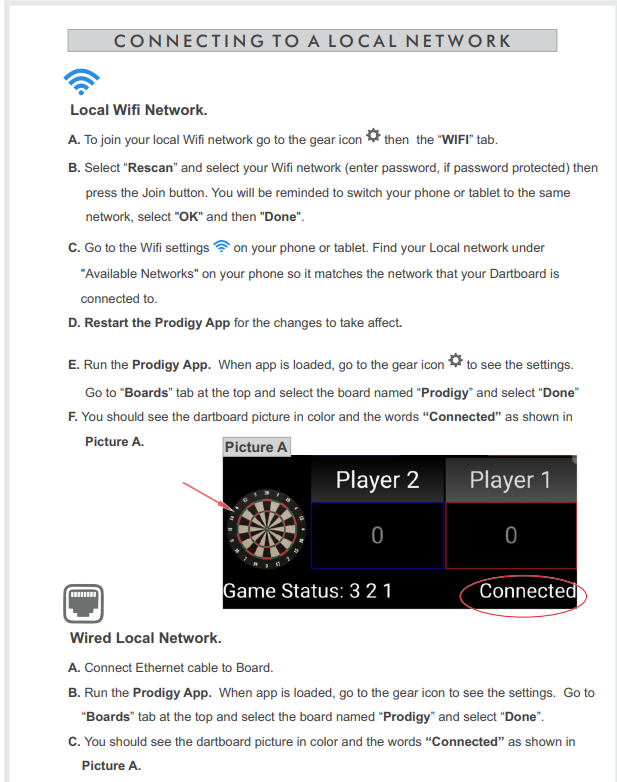
If you are still having difficulty, your dartboard may be in the wrong mode. This video may be helpful.
Please watch this video on the Wifi modes Prodigy Wifi Modes
If you are still having difficulty, please try these steps:
Press button on bottom of electronics box and repeat the process above.
If that does not resolve the issue:
Go to Gear Icon -> WiFi and check the AP mode checkbox and click Join.
Go to Gear Icon -> WiFi and check the AP mode checkbox and click Join.
Please reply to this email if these steps are not successful. Thanks!
2nd step
Push the button on the bottom of the board furthest away from the power cord that he referred to in the video I sent before.
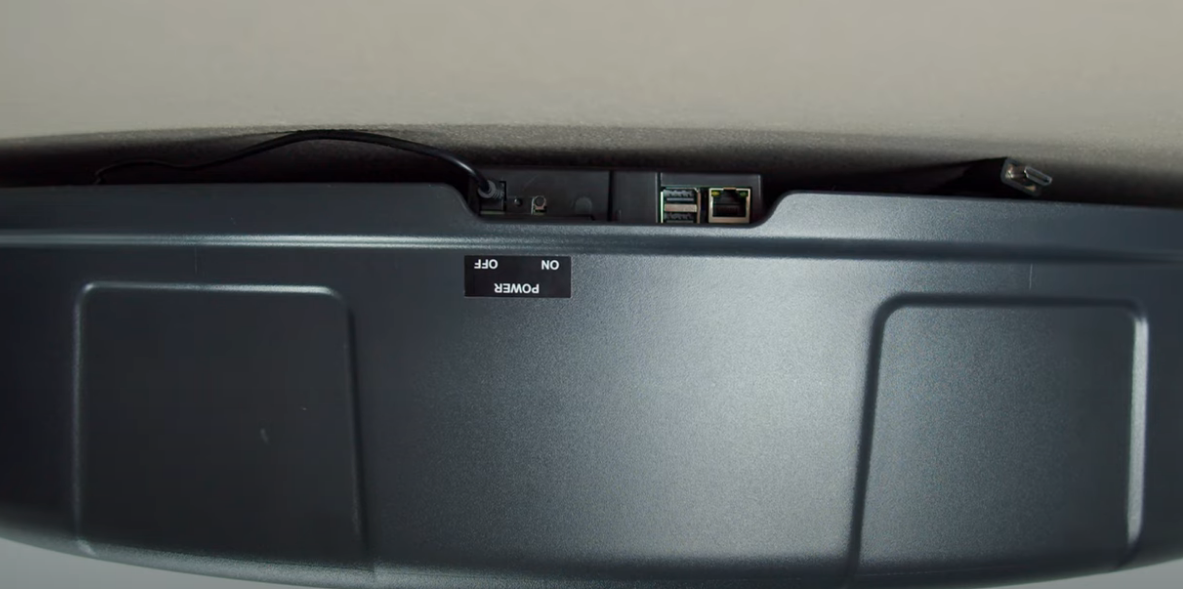
Go to WIFI on your phone (not in the prodigy app) and see if there is a WIFI access point named "prodigyXXXX".
If so connect to it and then open the app. Then go to "Connect Prodigy" and rescan. You should see your prodigy in the list. If so select it and then touch "Done"
You should at this point have control of the board. Try to play a game. Let us know how that works.
Was this article helpful?
That’s Great!
Thank you for your feedback
Sorry! We couldn't be helpful
Thank you for your feedback
Feedback sent
We appreciate your effort and will try to fix the article